Open the till at the start of the day
Count your opening float note by note and open a new till session.
Bar and floor staff, managers
Each trading day starts with a till session. You open it by counting the cash float in the drawer.
- Sign in with your PIN and clock in.
- Tap Till in the top bar.
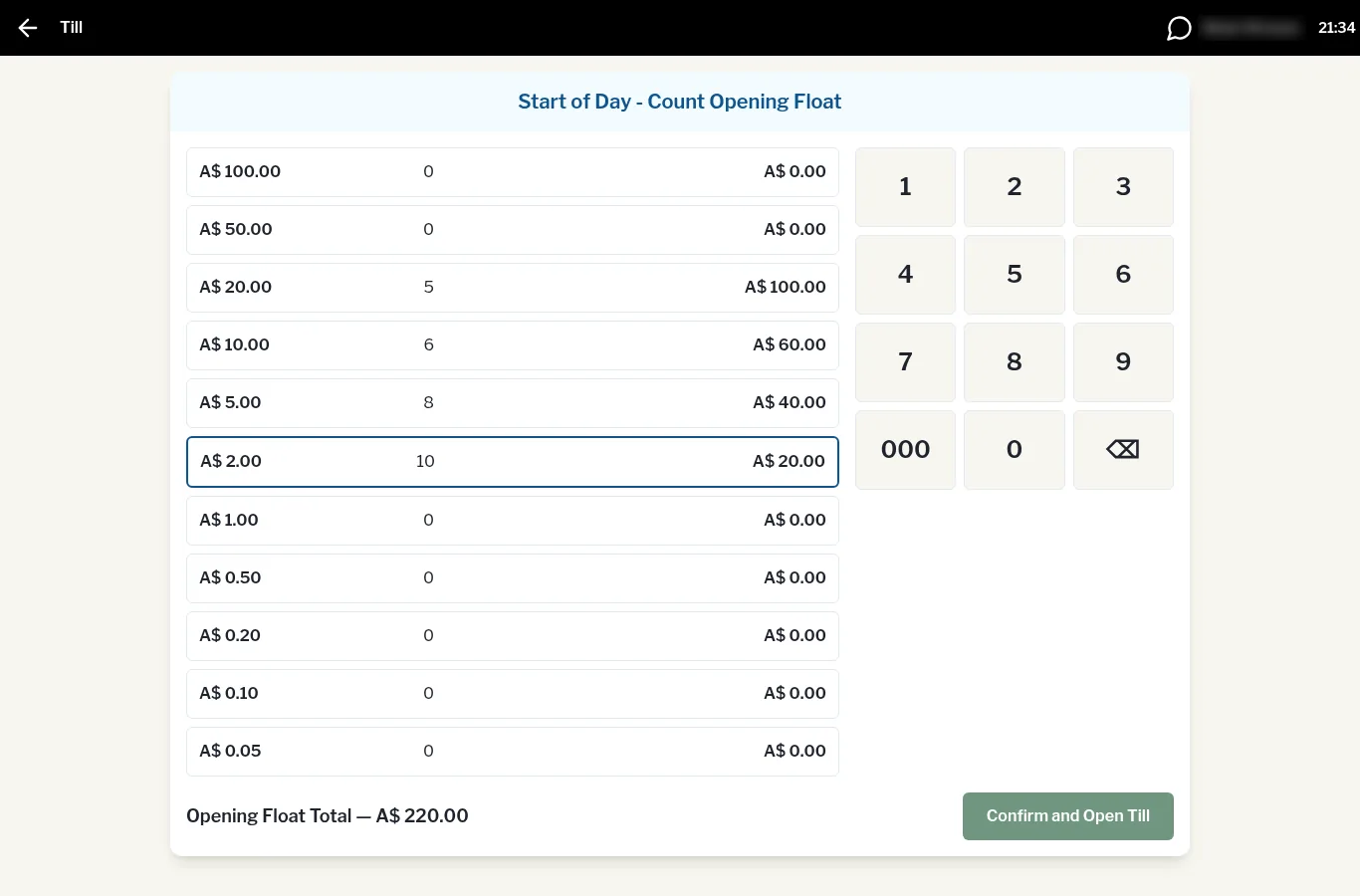
- You'll see Start of Day - Count Opening Float. Tap a note or coin row, then key in how many of that note or coin you have (not the dollar value).
- Work down the list. The total shows at the bottom as Opening Float Total.
- Tap Confirm and Open Till.
The till is now open and you can take payments.