Sign up a new member
Let guests join with their phone, or add them yourself at the till.
Bar and floor staff
How this works depends on whether your venue has Website sign-ups turned on.
With website sign-ups (guest joins on their phone)
- On the order, tap Add Member, then Add a new member.
- The till shows a QR code: Scan with your phone to join.
- Ask the guest to point their phone camera at the code and sign up on the page that opens.
- Tap Done.
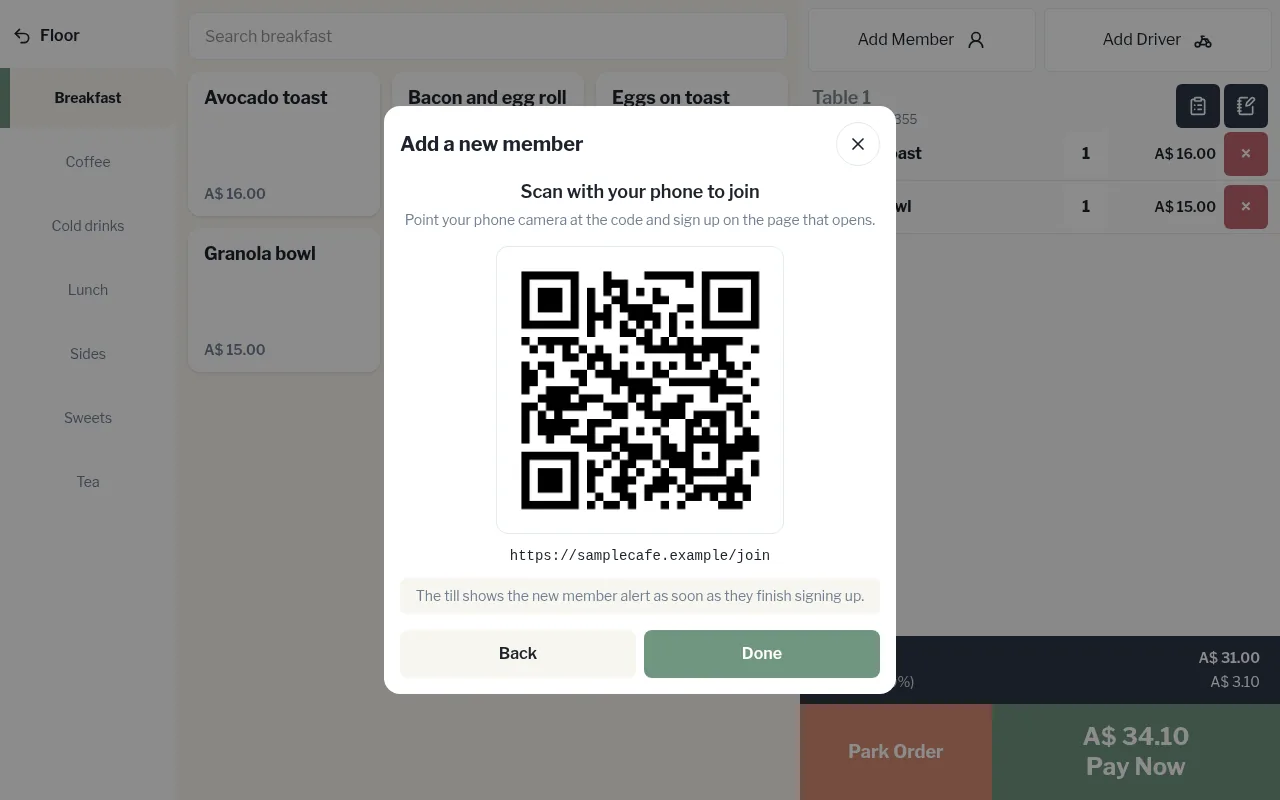
The guest gets a member card on their phone. The till shows the new member alert as soon as they finish signing up. Then add them to the order as usual.
Without website sign-ups (you add them)
- Tap Add Member, then Add a new member.
- Enter their First name, Last name, and their Mobile and Email if they'd like.
- Choose a Tier if asked.
- Tap Save member.
The till then shows Member card for their phone, a QR code to scan. Ask them to scan it with their phone camera, then add the card to their home screen. Tap Print again if you'd like a paper copy.