Add a member to an order
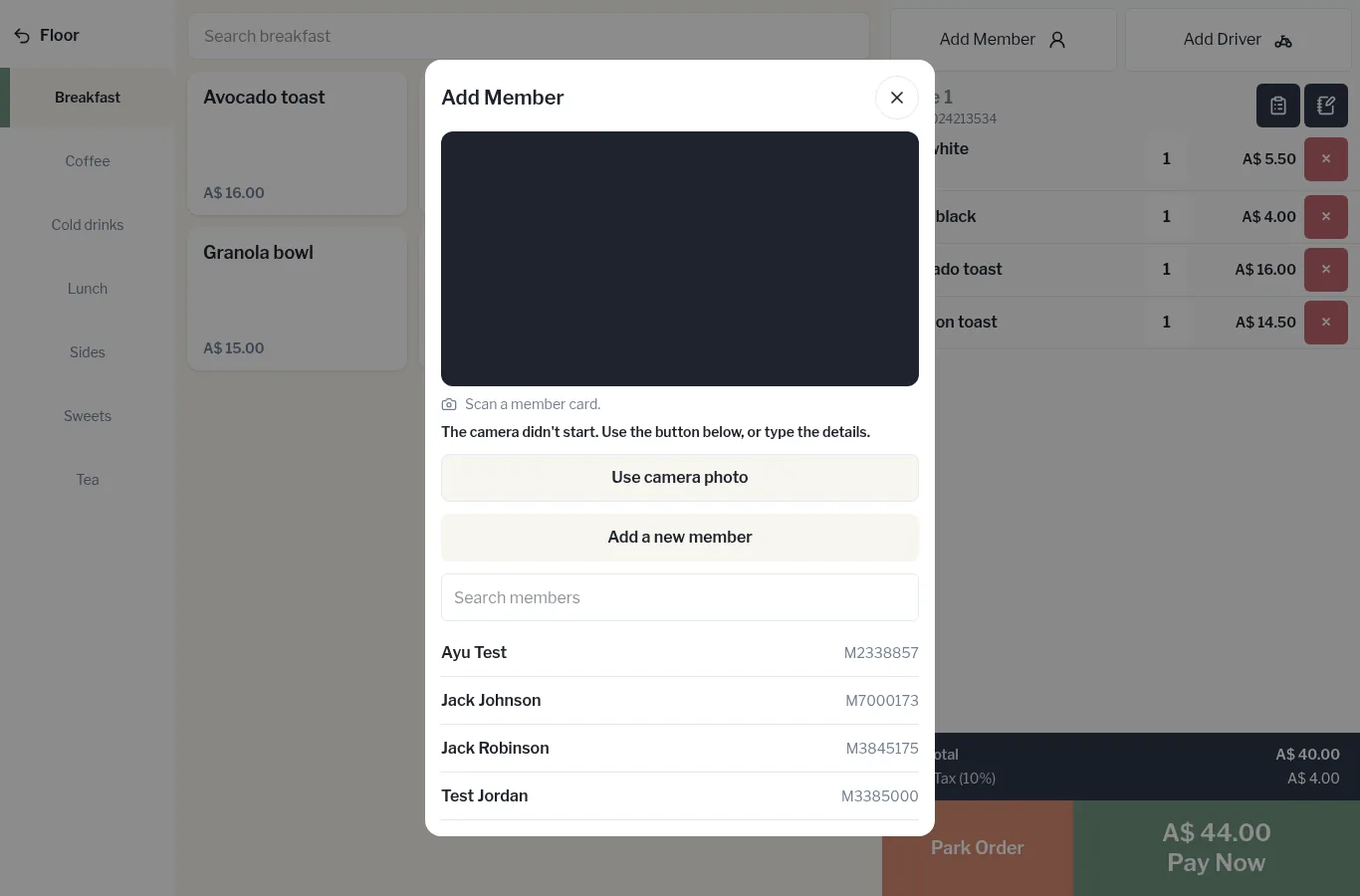
Scan or search for a member so their discount applies and their visit counts.
Bar and floor staff
- On the order, tap Add Member at the top right.
- Scan the member's card with the camera (Scan a member card.), or
- type their name or member number in Search members and tap them in the list.
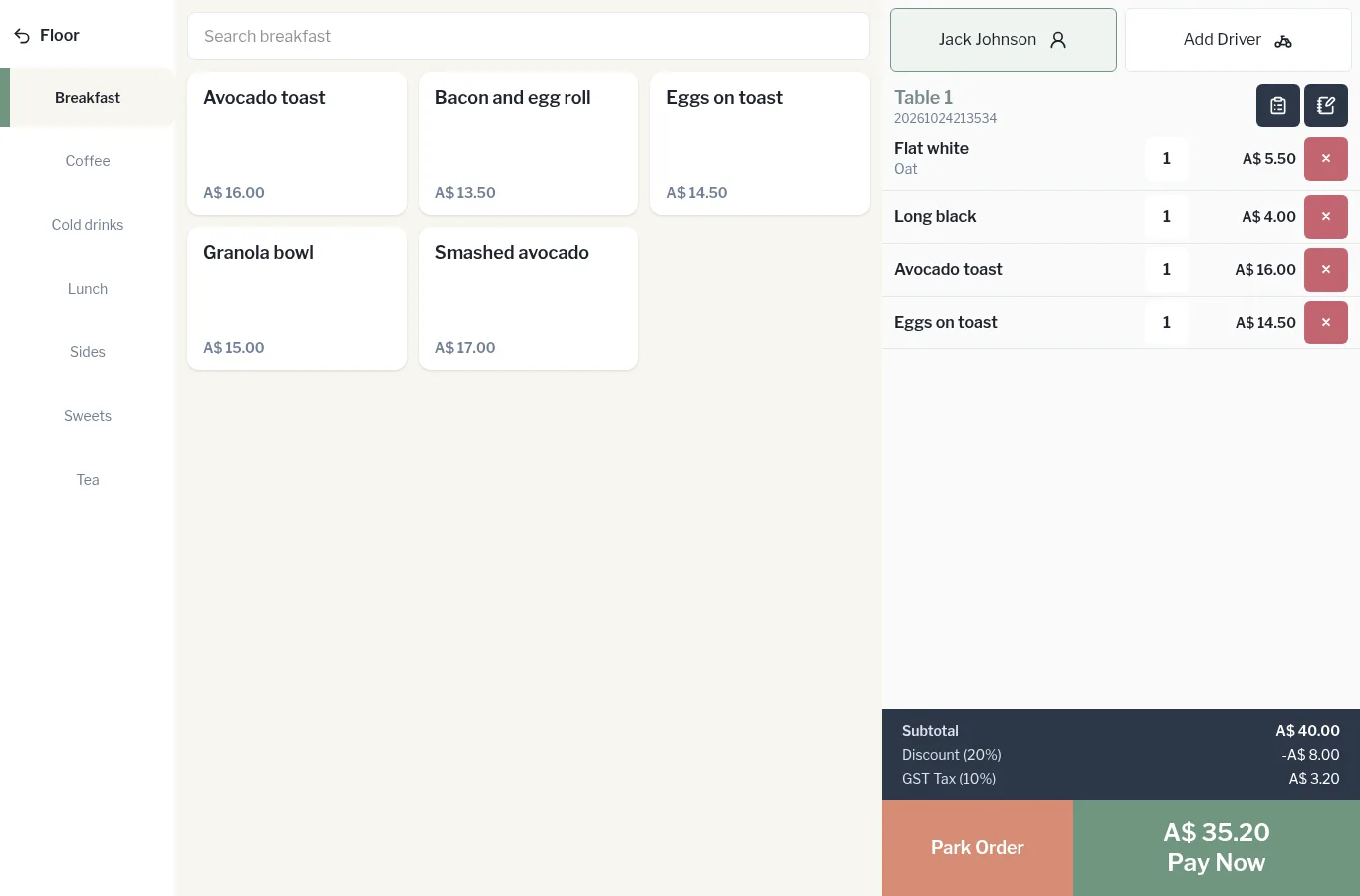
The member's name replaces Add Member at the top of the order, and their tier discount is applied automatically.
Not a member yet? Tap Add a new member. See Sign up a new member.