Split a bill evenly between people
Divide the bill into equal shares and take each share by cash or card.
Bar and floor staff
- Tap Pay Now, then Split by People.
- Under How many people?, key in the number.
- The till shows the Split Share and the Remaining Balance.
- For each person, tap Pay Cash or Pay Card and take their share.
- Keep going until the balance is paid. Payments Received lists what's been taken.
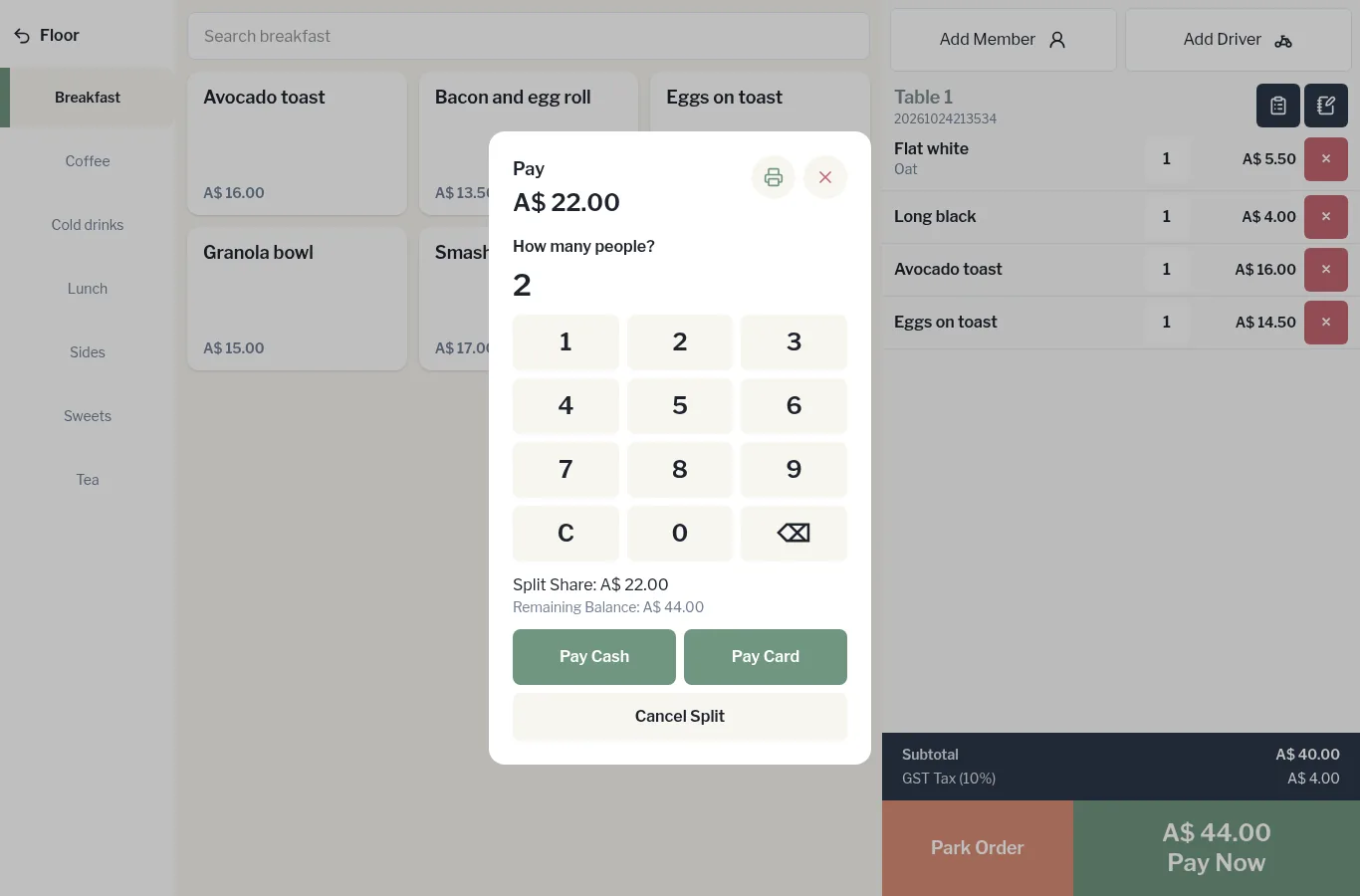
Haven't taken any money yet and want to start again? Tap Cancel Split.