Print an X-Read (mid-shift report)
Check takings so far without closing the till.
Managers, bar staff
An X-Read is a snapshot of the session so far. It doesn't close anything, so you can run one as often as you like.
- Tap Till in the top bar.
- Under Settlement, tap X-Read.
- Read the report on screen, or tap Print.
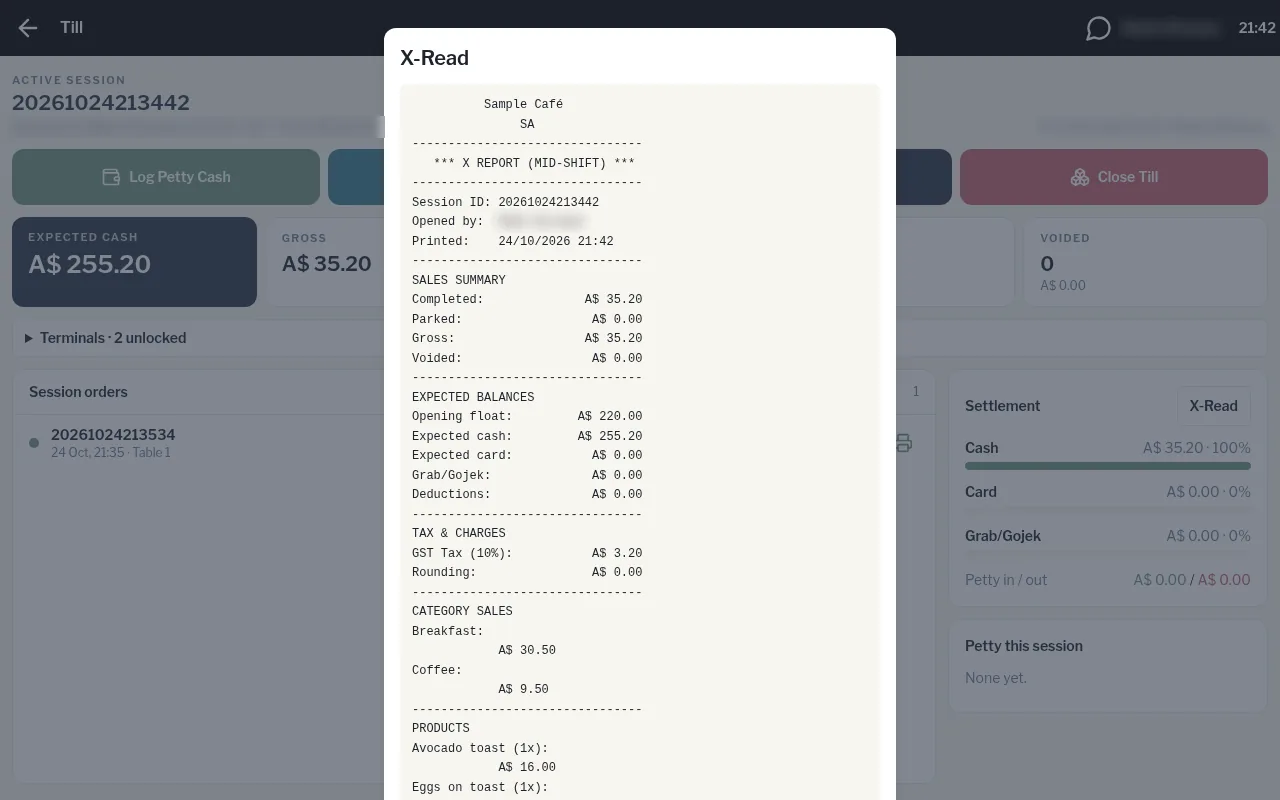
The report shows the sales summary, expected balances (float, cash, card and Grab/Gojek), tax, sales by category and product, and petty cash.